
Your First Agent Office Project: Brief, Plan, Review, Sign Off
Use your first project to learn the handoffs: describe a small result, review the plan, inspect the changes and try the work yourself. A modest local project gives you something concrete to approve or send back.
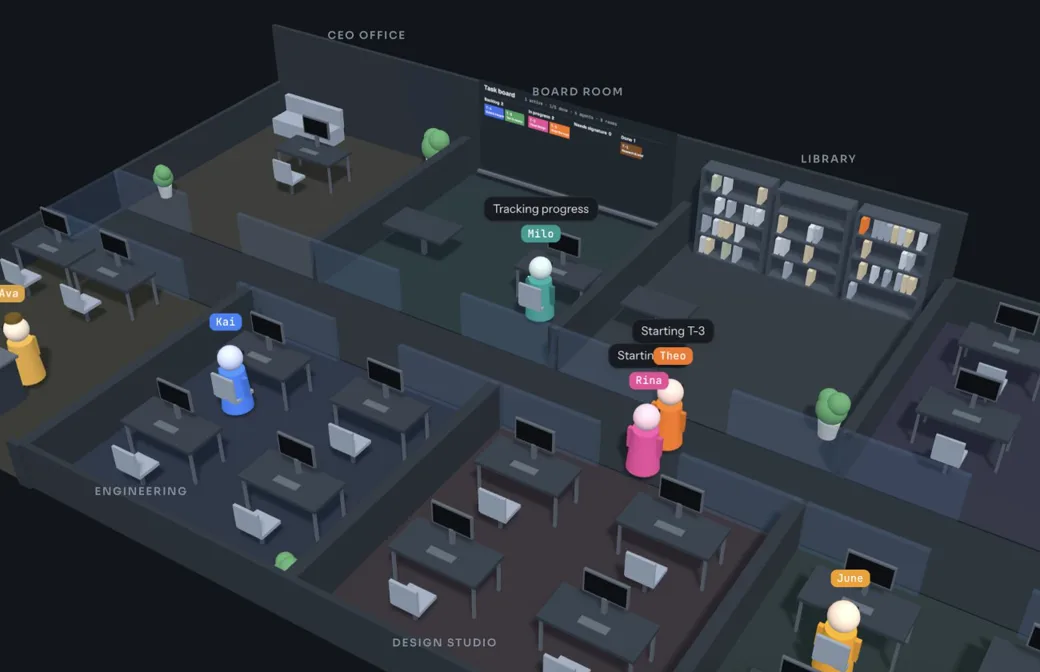
Choose a result you can check yourself
A useful first request has one clear outcome. Instead of asking for a complete business application, ask for a small page or a focused change in a project you understand. Decide what you will look at, click or run to tell whether it is finished.
The example below is a local project handoff checklist. It needs a few files, a short list of checks and a way to show how many are complete. It does not need accounts, a database or a public launch. This is an illustrative brief, not a project we claim to have run or a customer result.
Check items as you work. Selections reset when you leave this guide.
0 of 4 checked
Check the mode, then add a project folder
Agent Office is in early access for macOS; the Windows build is in testing. If you do not have access yet, watch the product tour and request early access. The tour was recorded in Demo mode: it shows the real interface with simulated agents, rather than a real project being executed.
In an early-access build, check whether you are in Demo or Real mode. Demo simulates the workflow; it does not run agent CLIs or write project files. For a real project, use Setup to check the required provider is installed and signed in, then use Add folder to select a dedicated folder for this exercise.
Use an empty folder or a small practice project. Check the selected folder before assigning the task. If the PM offers Git setup, read what it will do before signing. Work without git is also available; without Git, agents edit the folder directly and the work runs one writing agent at a time.
Give the CEO a goal, boundaries and done conditions
Write the request in the task box and select Assign. The CEO reads the project folder and produces a plan. A specific brief gives you a standard for reviewing that plan and the eventual result; a list of technologies alone does not explain what should work.
Include the intended user, the files you expect, the behavior you can test and anything outside scope. For this first exercise, leave public deployment out of the request. You can decide how to publish a later project once you have reviewed a local result.
Read the plan before signing it
When the CEO's plan reaches the sign-off queue, compare its phases and steps with your brief. Check the proposed output, the order of work and how the team intends to test it. Confirm that a small local page has not turned into an account system or a larger application.
If something is wrong, send the plan back with a specific note. For example: “Keep this as a local HTML, CSS and JavaScript page. Remove account creation and deployment. Add checks for the completed count and reset behavior.” The CEO can revise the plan in the same session.
Sign when the plan describes the work you want. The PM then turns it into tasks with dependencies. Signing a plan is a decision about the proposed work; it is not evidence that the finished page meets your acceptance checks.
Check items as you work. Selections reset when you leave this guide.
0 of 4 checked
Follow the tasks and phase boundaries
Use the Board to see what is queued, running and waiting for a decision. Dependencies determine when later tasks can start. If the plan has several phases, only the active phase runs; review its handoff before moving on.
In a Git project, tasks use separate branches and working copies. The PM integrates their work and presents the phase merge for review before it reaches your branch. This organization makes changes easier to inspect, but it does not replace reading the result or running your checks.
When a sign-off appears, read the exact request rather than signing from its status alone. If an unexpected package installation or publishing step appears, compare it with the agreed scope and ask why it is needed.
Review the changed files and give precise feedback
Result and merge reviews show changed files with diffs or full content. Check each file against the brief. Look for unexpected files, missing instructions and behavior that has been described but not demonstrated. Use the per-file comment boxes for observations tied to a particular change.
A useful send-back note names the action and the result: “In main.js, Reset clears the count but leaves checked boxes selected. Clear both, then test Reset after checking several items.” That is easier to act on than “the page is broken.”
On resubmission, Since last review highlights what changed after your note. Compare that view with your feedback, then use All changes when you need the wider context. Check the corrected behavior yourself before signing again.
Use Try it to check the local result
When the project is ready, QA can prepare a Try it card with a summary, start instructions and Things to check. Let me test it becomes available when work is finished and no agent is changing it. If it is unavailable, read the reason rather than starting a competing edit.
Read the card before using Run in Terminal or opening its URL. Follow the instructions for this project, then walk through your own acceptance checklist. A successful build is one check; it does not establish that every interaction works.
Check items as you work. Selections reset when you leave this guide.
0 of 6 checked
Sign the merge, then choose the next small improvement
For a Git project, review and sign the merge when the result meets the agreed checks. If the project shows Merge blocked, read the message and preserve your existing work while resolving the cause; retry the merge only after that cause is addressed.
If you discover a problem after the handoff, describe it in the result card and use Send to the team. This starts a follow-up project in the same folder with the previous project as context. Include what you did, what happened and what you expected.
For the next request, change one thing: perhaps keyboard navigation or saving checklist progress. Keeping the next result small makes the next plan, review and acceptance decision easier to assess.
Example brief: a local project handoff checklist
Use this starting point and replace it with your own requirements.
Build a one-page project handoff checklist in the selected practice folder.

User: a person preparing a small software project for review.

Output: index.html, styles.css and main.js, plus a short README explaining how to open or serve the page locally. Use plain HTML, CSS and JavaScript.

Behavior: show six checks: scope agreed, changes reviewed, tests run, start instructions supplied, known issues recorded, and owner review complete. Show the completed count out of six. Add a Reset button. Selections do not need to persist after a reload.

Done when: every item can be checked and unchecked; the count follows the selections; Reset clears all selections and returns the count to zero; the page stays usable in a narrow browser window; the README explains the actual local start method.

Scope: local files only. No accounts, database, external services, new dependencies or public deployment. Ask about any change to this scope before proceeding.

Handoff: include what you changed, the checks you ran, anything you could not verify, and instructions for me to try the result.